
The fastest Finder replacement. Your PC. Your Mac. One window. The fastest file manager for Mac.
Built for power users and developers. Two panes, tabs, a shortcut for everything, your own commands, and the fastest search on macOS.
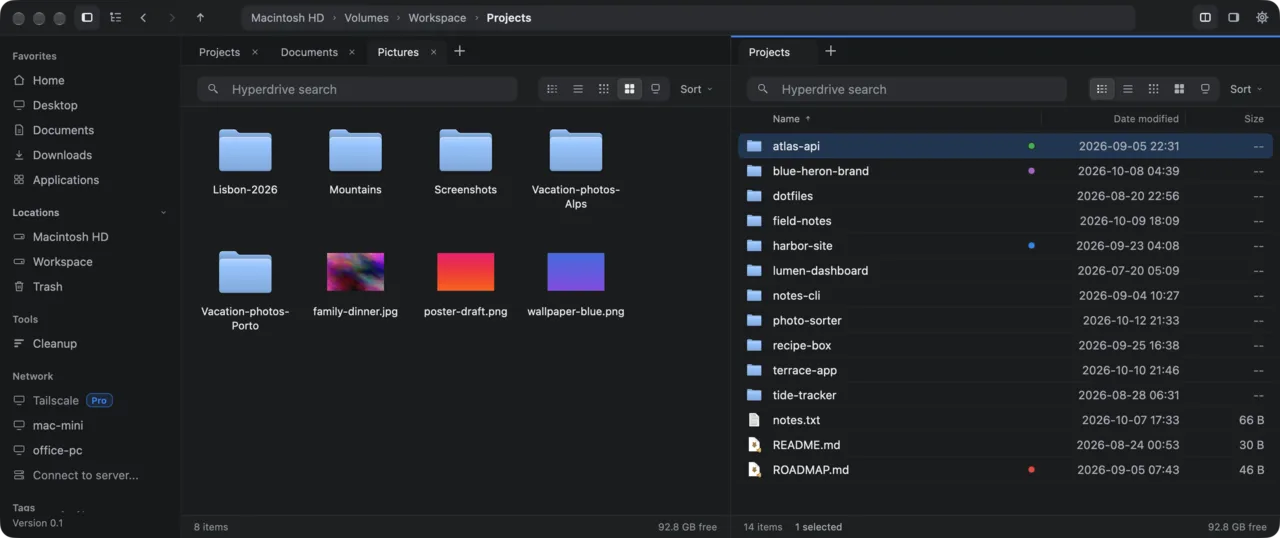
A file manager for power users. Open, search and copy files on your other Macs and PCs as if they were local folders, over your own Tailscale network. Plus tabs, a folder tree and real previews.
A Finder replacement built for power users and developers, with the fastest search on macOS. Free. The Windows beta has a simpler search.
- Free
- Apple silicon, macOS 13+
- 11.8 MB
- Free beta
- 18.5 MB
- No admin rights
- Free
- Mac and Windows
- No Linux version
- Free
- Mac and Windows
- Windows beta
- Lisbon-Guide-2026.pdf~/Documents/Travel3.8 MB
- Lisbon-boarding-pass.pdf~/Documents/Travel35.0 KB
- lisbon-budget.csv~/Documents/Travel122 B
- lisbon-castle-view.jpg~/Pictures/Lisbon-2026434.8 KB
- lisbon-from-above.jpg~/Pictures/Lisbon-2026389.5 KB
- lisbon-graca-rooftops.jpg~/Pictures/Lisbon-2026330.2 KB
- Lisbon-packing-list.md~/Documents/Notes164 B
- lisbon-pantheon.jpg~/Pictures/Lisbon-2026533.0 KB
- lisbon-river-evening.jpg~/Pictures/Lisbon-2026186.2 KB

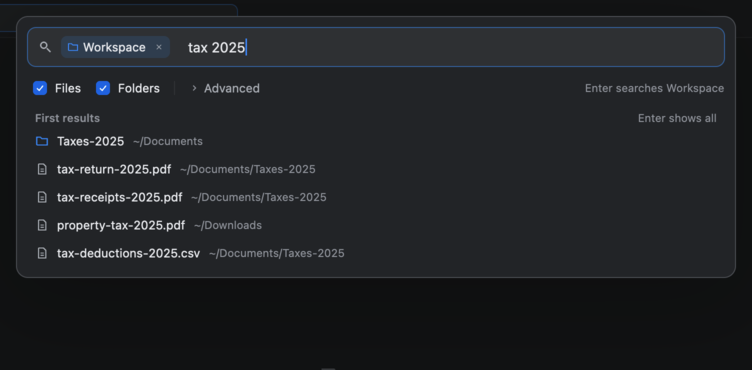
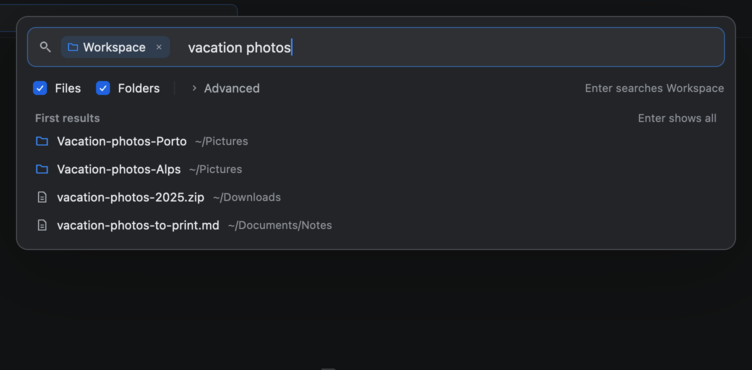
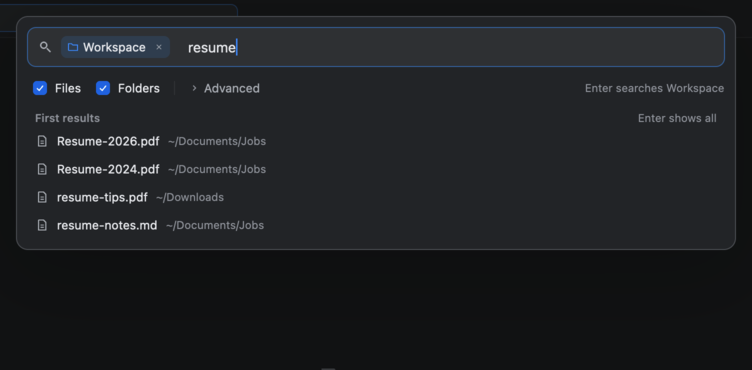
Live demo with sample files. Click the search box and type.Live demo: FastFinder on a PC, open on a Mac. Sample files. Click the search box and type.
For power users
Everything Finder does. And everything it doesn't.What File Explorer can't do.
Two panes, tabs, the keyboard, your own scripts. The tools developers and power users reach for every day, in one fast window.
Your other computers, real previews, and a shortcut for everything. All in the beta today.
1{
2  "label": "Shrink images",
3  "command": "sips -Z 2000 {paths}",
4  "when": "selection",
5  "ext": ["png", "jpg", "heic"],
6  "confirm": true
7}
Two panes
Copy across with F5, move with F6.
⌘\Tabs that come back
Your session returns at launch.
⌘TKeyboard first
A shortcut for every common action.
⇧⌘GYour own commands
Scripts in the right-click menu, per file type.
Terminal here
Open Terminal or your editor in this folder, or run a command.
⌥⌘TGit status
Branch, ahead and behind, and changed files.
Rename many
A whole selection in one step.
F2Undo
Undo file work on this Mac.
⌘ZArchives as folders
zip, tar and 7z open like a folder.
Cleanup
Find big files and duplicates.
⇧⌘KNetwork shares
SMB, NFS and AFP, with Eject.
⌘KYour other computers
Browse your Macs and PCs over Tailscale.
Your Macs and PCs
Open, search and copy files on your other computers.
Tabs and a folder tree
Every folder you need, one window.
CtrlTFive views
From a detailed list to large icons.
Ctrl1to5Real previews
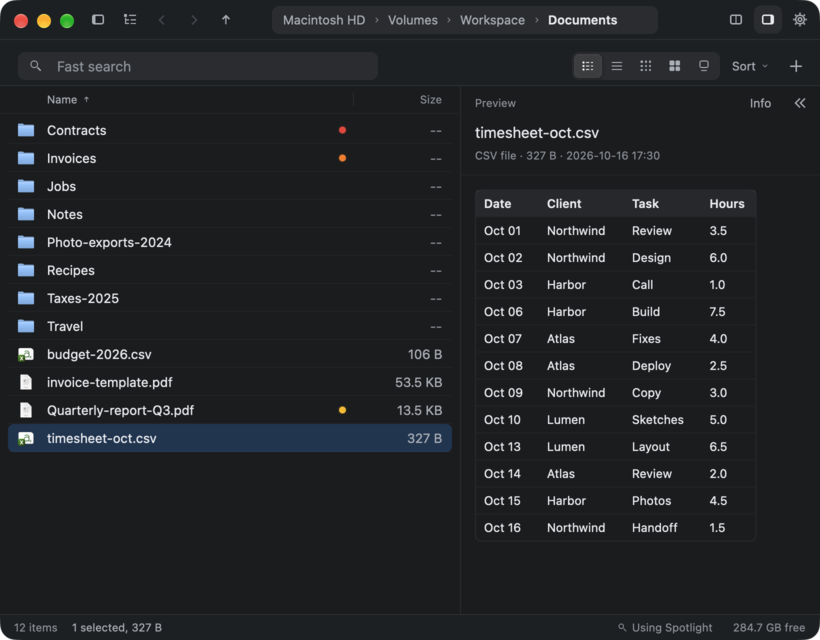
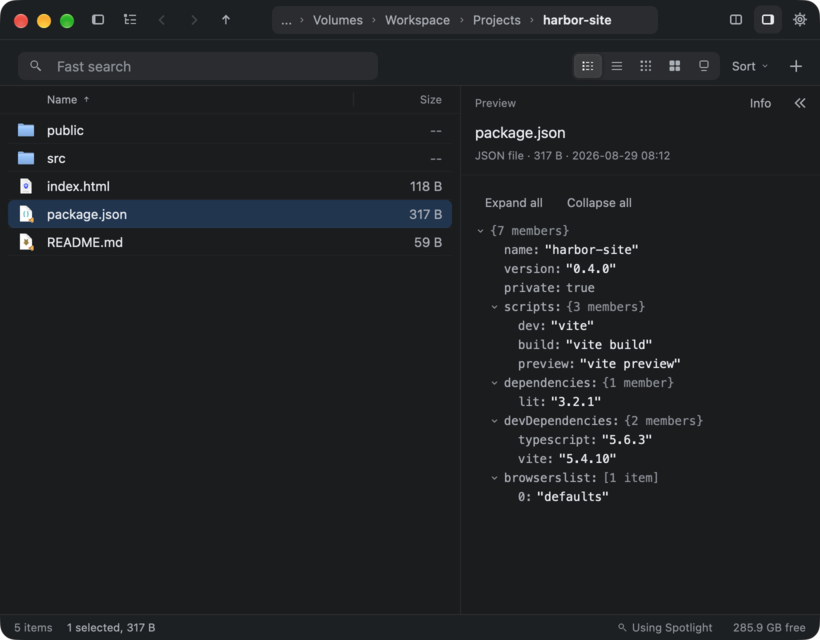
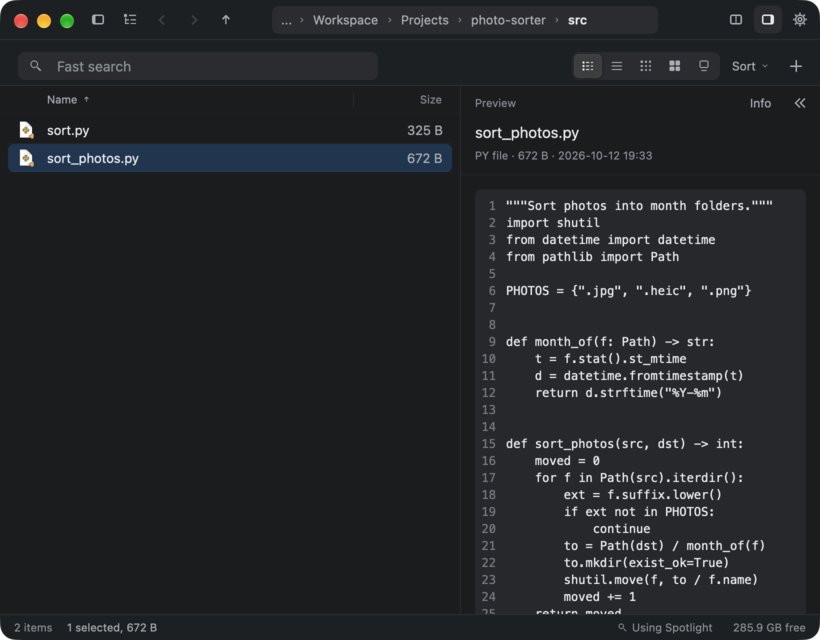
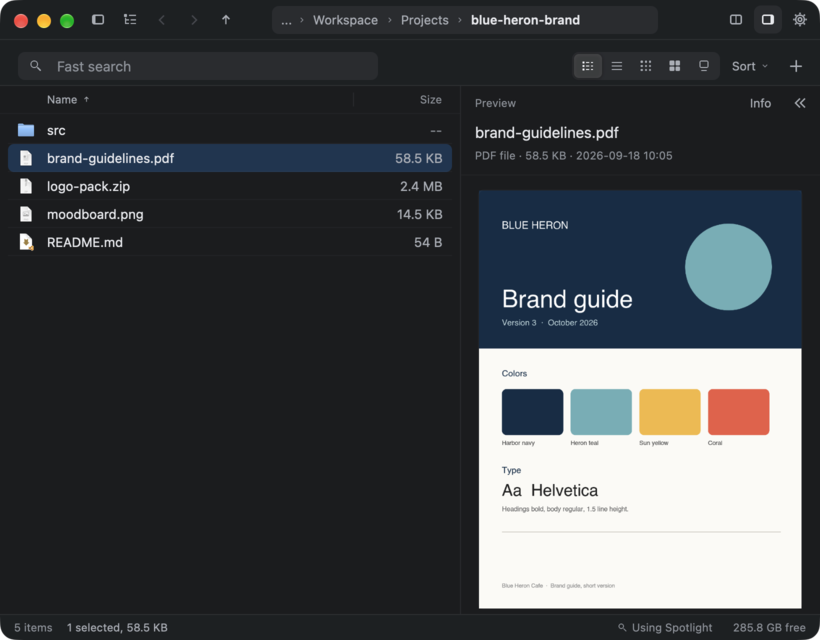
Code, JSON, Markdown, CSV tables, PDF and pictures.
Recycle Bin restore
Put files back where they were.
Archives as folders
Open zip files like a folder.
NTFS tags
Tag files and search by tag.
OneDrive marks
See which files are online only.
The beta
What works today.
- Tabs, the folder tree and five views
- Copy, move, rename, and Recycle Bin restore
- Previews of pictures, PDF, Markdown, code, CSV and JSON
- NTFS tags, OneDrive marks, Open with and Send to
- Your other computers over Tailscale
- No disk index yet. Search looks at names in the open folder and its subfolders.
- No search inside files yet
- Not signed yet, so SmartScreen can warn you
Hyperdrive search
The fastest search engine on macOS. Period.
To search 6.5 million file names. More than 200 times faster than a blink. We benchmarked it.
Hyperdrive engine time, p95, on a Mac Studio with M2 Max, 19 October 2026. Mac only.
How we measured
Search
We measured the compiled Hyperdrive engine on 19 October 2026, on a Mac Studio with M2 Max and 32 GB RAM. The index held 6,508,588 files and 538,374 folders. Each test was one file name search with the Files filter: 100 samples after 10 warmups, 50 results per page. The time is inside the engine, not the app window. FastFinder asks for up to 2,000 results, so a broad search in the app can take longer. Hyperdrive searches names in your home folder, without ~/Library. The Classic engine handles the rest: the whole Mac, several words, filters and text inside files.
All measured numbers
| # | Measured on a Mac Studio, M2 Max | Result |
|---|---|---|
| 1 | Launch to window on screen | 0.29 s |
| 2 | Open a 50,000-file folder | 0.36 s |
| 3 | Scroll frame, 50,000 items | 6 to 9 ms |
| 4 | Classic search, 2,000 hits, full speed | 37 to 55 ms |
| 5 | Classic search, Throttled mode | 0.08 to 0.21 s |
| 6 | Copy a 2 GB file, same volume | 0.1 ms |
| 7 | Copy 20,000 files, same volume | 2.7 s |
| 8 | Idle CPU | 0.0 to 0.2% |
| 9 | Hyperdrive search, 6,508,588 files (p95) | 0.48 ms |
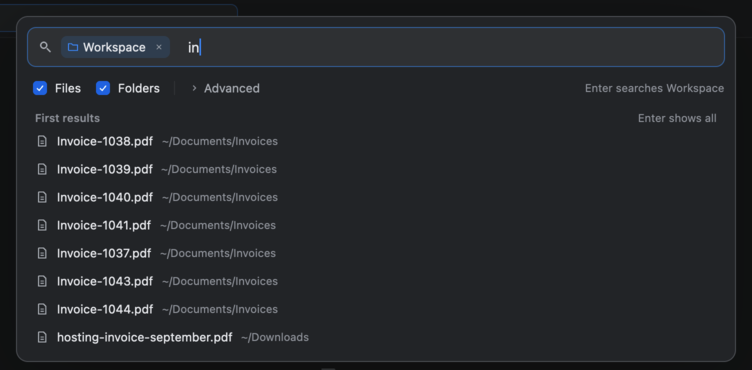
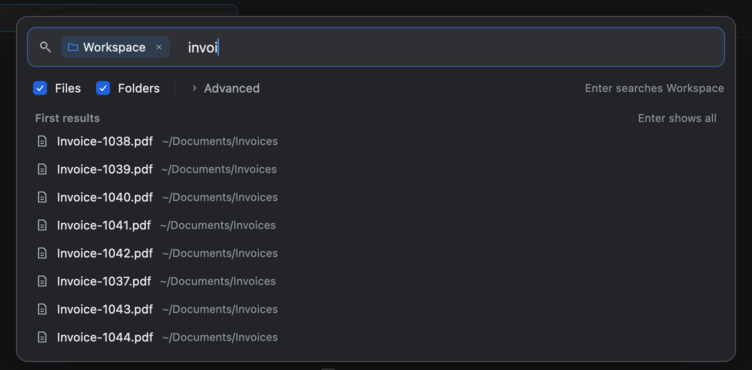
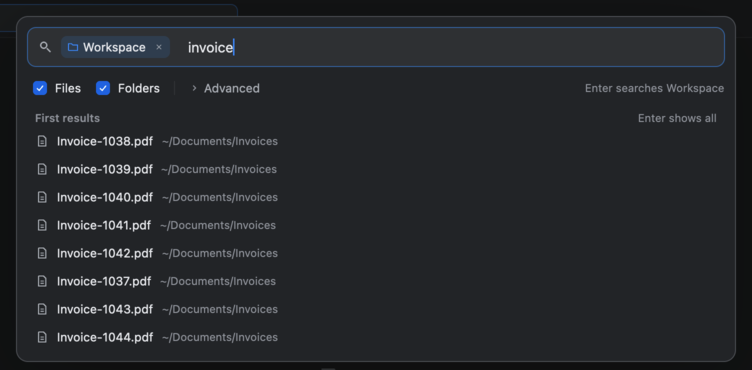
Find
Type a few letters. That's it.
Results show while you type. It can search inside files too.
Preview
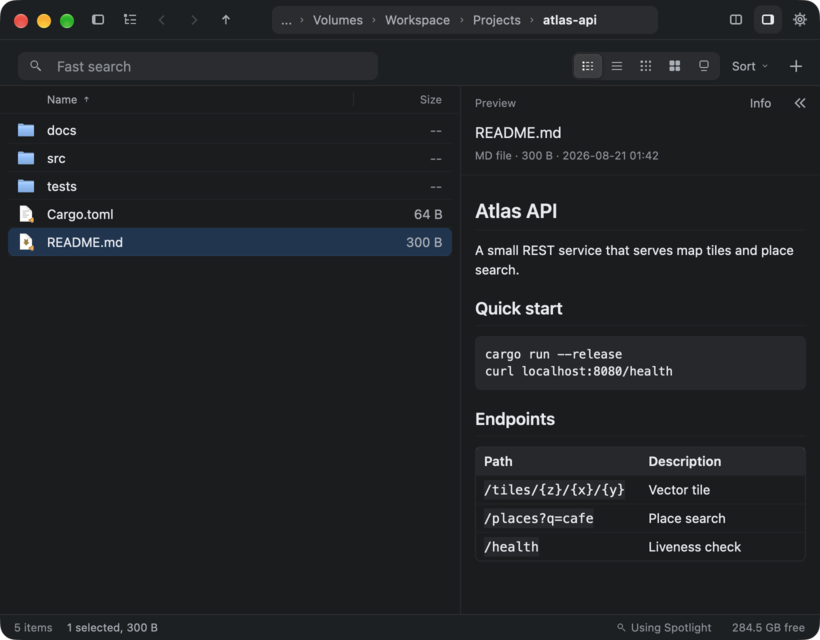
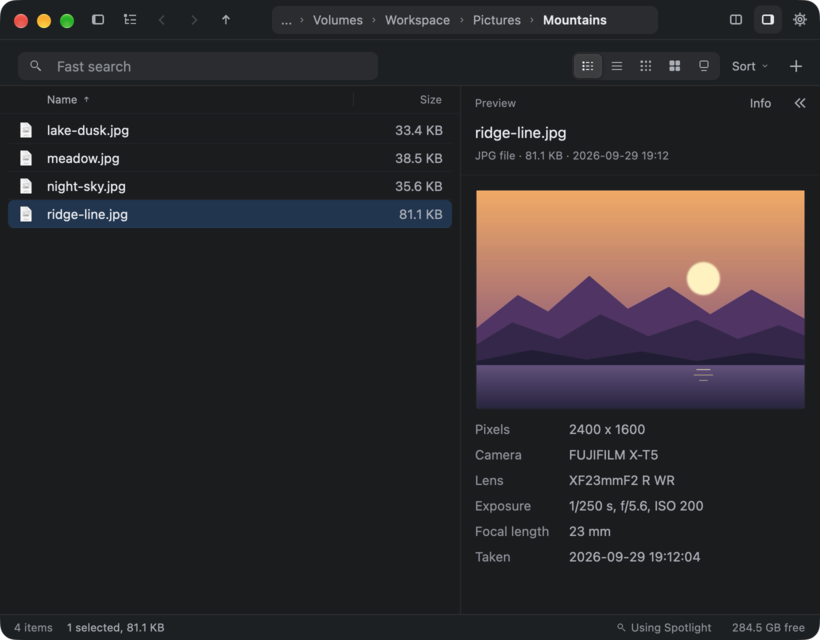
See inside without opening.
Click a file. PDFs, photos, tables, notes and code show next to the list. Press Space for Quick Look.
Your computers
All your computers in one window.Open your Mac from your PC.
Open, search and copy files on your other Macs and PCs, like any folder. Each computer needs FastFinder and the Tailscale app.
Native
Rust. GPU. No Electron.
Written in Rust, drawn on the GPU with gpui, the UI framework from Zed. No web view in the main window.
- Open the app
- 0.29 s
- Open a folder of 50,000 files
- 0.36 s
- CPU while idle
- 0.2% or less
Privacy
Your files stay yours.
Your files, file names and searches are not sent to us. No account. No sign-in. Usage counts are anonymous, and one switch turns them off.
On Windows? Try the beta.
For Windows 10 and 11. Free. Some Mac features, like the fast search engine, are not there yet.
Is FastFinder free?
Yes, for personal and non-commercial use. Paid extras may come later.
Can it replace Finder?
Yes, for your daily file work. macOS keeps Finder, so there is nothing to remove. Keep FastFinder in the Dock and use it instead.
Can it replace File Explorer?
For daily browsing and file work, yes, in this beta. File Explorer stays on your PC.
Which Macs does it run on?
Macs with Apple silicon (M1 or newer) and macOS 13 or later.
Which Windows versions does it run on?
Windows 10 and 11, 64-bit. The beta was tested on Windows 11.
Is there a Windows version?
Yes, a free beta for Windows 10 and 11, 64-bit. Some Mac features are not there yet, and the fast search engine is Mac only. There is no Linux version.
Why does Windows warn me when I open it?
The beta is not signed with a code-signing certificate yet, so SmartScreen can warn you. Press More info, then Run anyway.
Does it search my whole disk?
Not yet. The beta has no disk index. It searches names in the open folder and its subfolders. If you need a search of the whole disk, keep the tool you use now.
Do my files leave my computer?
Not to us. Your files, file names and searches are not sent to us. They go to another computer only when you open that computer in FastFinder. Anonymous usage counts can be turned off with one switch. Crash reports are sent only when you press Send.
Is it ready for daily use?
It is an early release, version 0.1, and it updates itself. Delete moves files to the Trash, and file work can be undone. Back up a folder before you rename many files at once.
Is the beta ready for daily use?
It is an early beta, version 0.1.1. It checks for updates and shows a Download button; you install the new version yourself. Delete moves files to the Recycle Bin.

Try it on your Mac.Try it on your PC.
One download, 11.8 MB. Free, and checked by Apple.
One zip, 18.5 MB. Free. No admin rights needed.
- macOS 13 or later
- Apple silicon
- Windows 10 and 11, 64-bit
- Windows beta
- All downloads