
Why look for a Finder alternative
Finder covers the basics. People who work with many files often need more.
People who move a lot of files around tend to want the same few things: folders that open without a wait, a search that shows results while they type, their other computers in the same window, a preview that does not open another app, and keyboard shortcuts for everything. Fast Finder is built around that list.
What Fast Finder does differently
Written in Rust, and quick
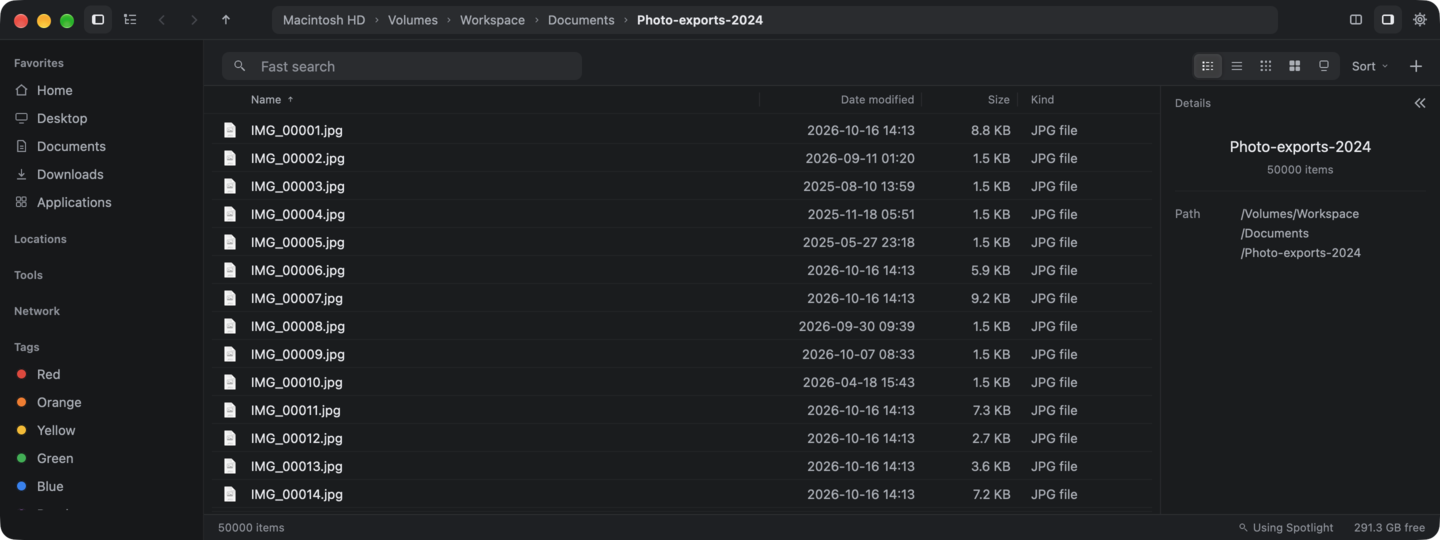
Fast Finder is written in Rust and draws its window on the GPU with gpui, the UI framework from Zed. The main window uses no Electron and no web view; only the offline HTML preview uses the system web view, with JavaScript off. On a Mac with M5, we estimate the window is on screen 190 ms after launch, and a folder of 50,000 files opens in 235 ms. When idle, it uses about 0.15% CPU. We scaled these from measurements on a Mac Studio with M2 Max (295 ms, 364 ms and 0.2%) with Geekbench 6 ratios; how we estimate. We did not time Finder.
Search you can type into
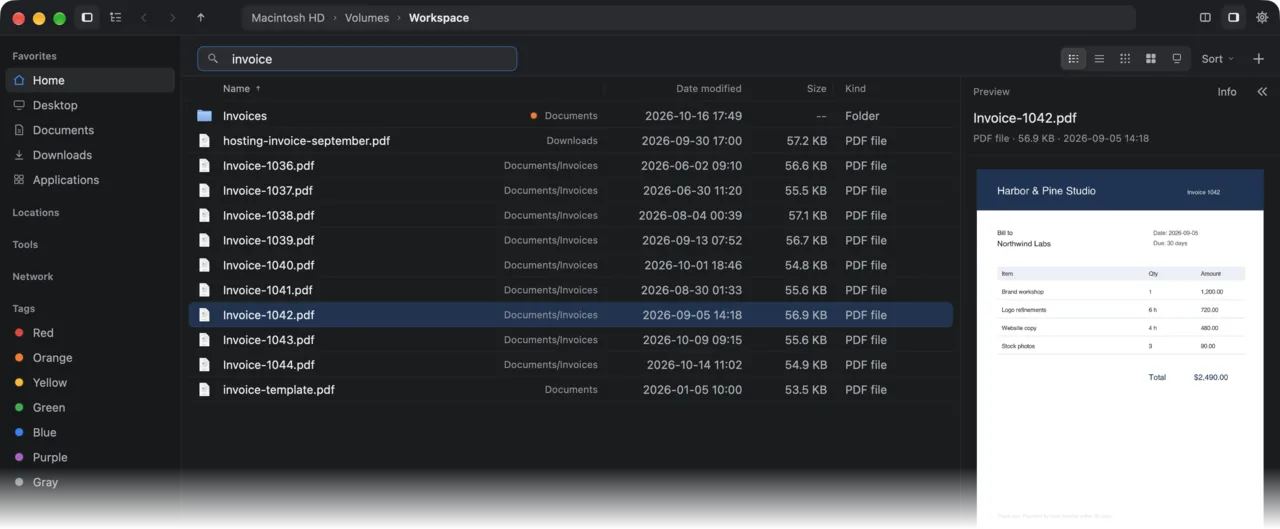
Fast Finder keeps its own index on your Mac. Click Fast search and type plain words, such as invoice or tax 2025. The first results show while you type. Filters for type, size and date are there when you need them. On a Mac with M5, we estimate a search with 2,000 hits takes 25 to 37 ms through the app in full speed mode, an option in Settings, and 70 to 180 ms in the default Throttled mode (measured on an M2 Max: 37 to 55 ms and 80 to 210 ms). While the first index builds, Spotlight answers.
Your other computers
With Tailscale, your other Macs and PCs appear in the sidebar. Browse them and copy files between them.
Previews next to the list
Peek shows Markdown rendered, CSV tables, a JSON tree, code with line numbers, the first page of a PDF, and photos with their camera data, in a sidebar next to the list. Space still opens Quick Look.
Practical extras
- Cleanup finds big files, big folders and duplicates.
- Folders for OneDrive, iCloud Drive, Google Drive, Dropbox and Box appear when they exist on your Mac. Online-only files are marked, and Fast Finder never downloads them for a search or a preview.
- zip, tar and 7z archives open like read-only folders.
- Git status shows the branch and changed files in a repository folder.
A menu you can edit
The right-click menu is a JSON file. Add a shell command for the selected files, limit it to some file types, and ask before it runs. Open Terminal or your editor in the current folder with one shortcut.
Two panes and a keyboard for everything
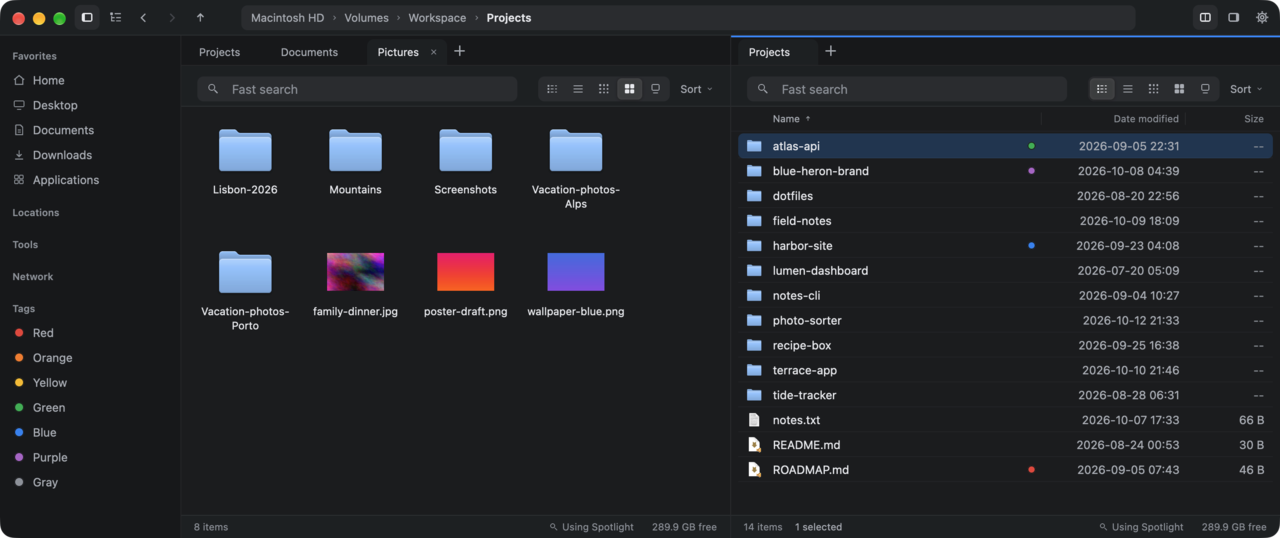
Press ⌘ \ for two panes. Tab switches between them, F5 copies to the other pane and F6 moves. Tabs restore when you reopen the app. Five views, from Details to Large icons, each with its own shortcut.
Fast Finder and Finder, side by side
| # | Feature | Fast Finder | Finder |
|---|---|---|---|
| 1 | Speed | A 50,000-file folder opens in about 235 ms on a Mac with M5 (estimate) | Not timed by us |
| 2 | Search | Own index, results while you type, filters, text and code search | Spotlight, with some typed filters such as kind: and date: |
| 3 | Your other computers in the sidebar | Yes, over Tailscale, with the Fast Finder agent | Through file sharing (SMB) that you set up |
| 4 | Rendered Markdown, CSV table and JSON tree | Yes, in the details sidebar | Plain text only |
| 5 | Quick Look | Yes | Yes |
| 6 | Tabs | Yes, restored with your session | Yes |
| 7 | Views | Details, List, Small icons, Icons, Large icons | Icons, List, Columns, Gallery |
| 8 | Two panes side by side | Yes, with copy and move to the other pane | No |
| 9 | Your own commands in the right-click menu | Yes, in a file you edit (menu.json) | Quick Actions and Services |
| 10 | Git status in folders | Yes | No |
| 11 | Price | Free for personal and non-commercial use | Included with macOS |
When Finder is enough
- You use an Intel Mac. Fast Finder runs only on Apple silicon.
- You rely on the Columns or Gallery view. Fast Finder has no direct match for them.
- You open a folder a few times a week. Finder already does that well.
Fast Finder does not replace or change Finder. Try it next to Finder and keep the one that fits your day.
Questions
Can I use Fast Finder and Finder at the same time?
Yes. Fast Finder is a separate app. It does not change or remove Finder, and both can be open at once.
Does Fast Finder run on Intel Macs?
No. It runs on Macs with Apple silicon (M1 or newer) and macOS 13 or later.
Is Fast Finder free?
Yes, for personal and non-commercial use. Premium features will come later. Pricing.
Does Fast Finder use Spotlight?
It has its own index on your Mac, built by the fsearch engine. Spotlight answers only while that index builds, or as a fallback.